
Smart glasses are shifting from niche gadgets to practical tools that help you capture moments hands-free, stay productive on the move, and enjoy immersive entertainment. In this guide you’ll find five models that matter in 2026, chosen for how they improve everyday life — from clearer displays for work and gaming to reliable audio, useful cameras, and comfort for all-day wear.
Whether you want hands-free content creation, a private big-screen experience, or wearable audio for commuting, these picks show the kinds of benefits you can expect and the trade-offs to watch for.
Top Picks
|
Category |
Product |
Price |
Score |
|---|---|---|---|
|
🏆 Best Overall |
$329.00 |
82/100 |
|
|
🏃 Best for Sports |
$479.00 |
76/100 |
|
|
🖥️ Best for Productivity |
$599.00 |
82/100 |
|
|
🎮 Best for Gaming |
$249.00 |
86/100 |
|
|
📺 Best Display Quality |
$424.00 |
82/100 |
How We Picked These Smart Glasses
We focused on the features that will affect your daily use: comfort and fit (you need frames you can wear for hours), display quality and clarity (for reading, streaming, and gaming), battery life and charging convenience, audio quality and leakage (so you can listen privately), camera and recording features (for hands-free capture), device compatibility and ease of setup, and overall value for the price. We also weighed real-user feedback on reliability, software quirks, and how manufacturers handle updates and customer support.
In short, we prioritized what will make these glasses genuinely useful to you every day.
Ray-Ban Meta Wayfarer

These are basically classic Ray-Bans with a tech upgrade that feels useful, not gimmicky. You can snap hands-free photos and videos with the 12 MP camera, take calls through open‑ear speakers, and try Meta AI features like live translation or QR scanning. For daily use they’re great for walks, commuting, or listening to a podcast without earbuds; for special occasions they let you capture first‑person memories or stream a view during a video call. They do add a little weight compared with regular sunnies and some people tweak the arms or add nose pads for a perfect fit, but the style is discreet so most folks won’t even notice they’re smart glasses.
If you want something that blends fashion with practical tech, these are an easy pick.
What People Say
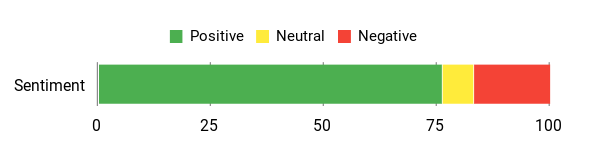
People repeatedly call out the camera and audio as standout features—great for capturing family moments and content creation—while noting that some software features (voice assistant) can drain battery and that fit may need minor adjustments.
Overall Sentiment: Positive
🗣️ Michele D
The camera captures crisp photos and videos hands‑free, and the open‑ear audio makes music and calls feel rich without blocking ambient sound. Perfect for grabbing moments with family without pulling out your phone.
🗣️ Ja Quayan
Battery easily lasts a day unless you record a lot (around 4 hours of heavy video), fast charging case helps, and live translations were genuinely useful at a Spanish market. Fit was slightly snug for me but easy to fix with small cushions.
When To Use
|
Situation |
How It Helps |
|---|---|
|
Commuting |
You can take calls and listen to directions without putting earbuds in, keeping you aware of your surroundings. |
|
Travel |
Hands‑free photo and video capture lets you document places from your point of view without fumbling for a phone. |
|
Family time |
Record kids or relatives naturally—people don’t react the same way to glasses as they do to a phone camera. |
|
Content creation |
POV footage and easy sharing during calls make it simple to create authentic first‑person content on the go. |
Social Perks
Because they look like regular Ray‑Bans, you get tech perks without drawing attention; open‑ear audio means you can stay social and aware while listening.
Versatility
You’ve got lens options—polarized for strong sun, transitions for indoor/outdoor use, or clear for everyday wear—so they work across many activities and styles.
Looks
The Wayfarer silhouette keeps the look classic and low‑key, so the glasses feel like an accessory rather than a gadget.
Comfort
Most people find them comfortable for daily wear, though a few mention the arms can feel a bit snug at first; simple tweaks like nose pads or small cushions usually solve that.
Key Benefits
-
Hands‑free 12 MP camera for photos and POV video
-
Discreet open‑ear speakers for music and calls
-
Meta AI tools: translations, QR scanning and info on the go
-
Classic Wayfarer look that hides the tech
-
Multiple lens options (polarized, transitions, clear)
Current Price: $329.00
Rating: 4.1 (total: 2004+)
Oakley Meta HSTN
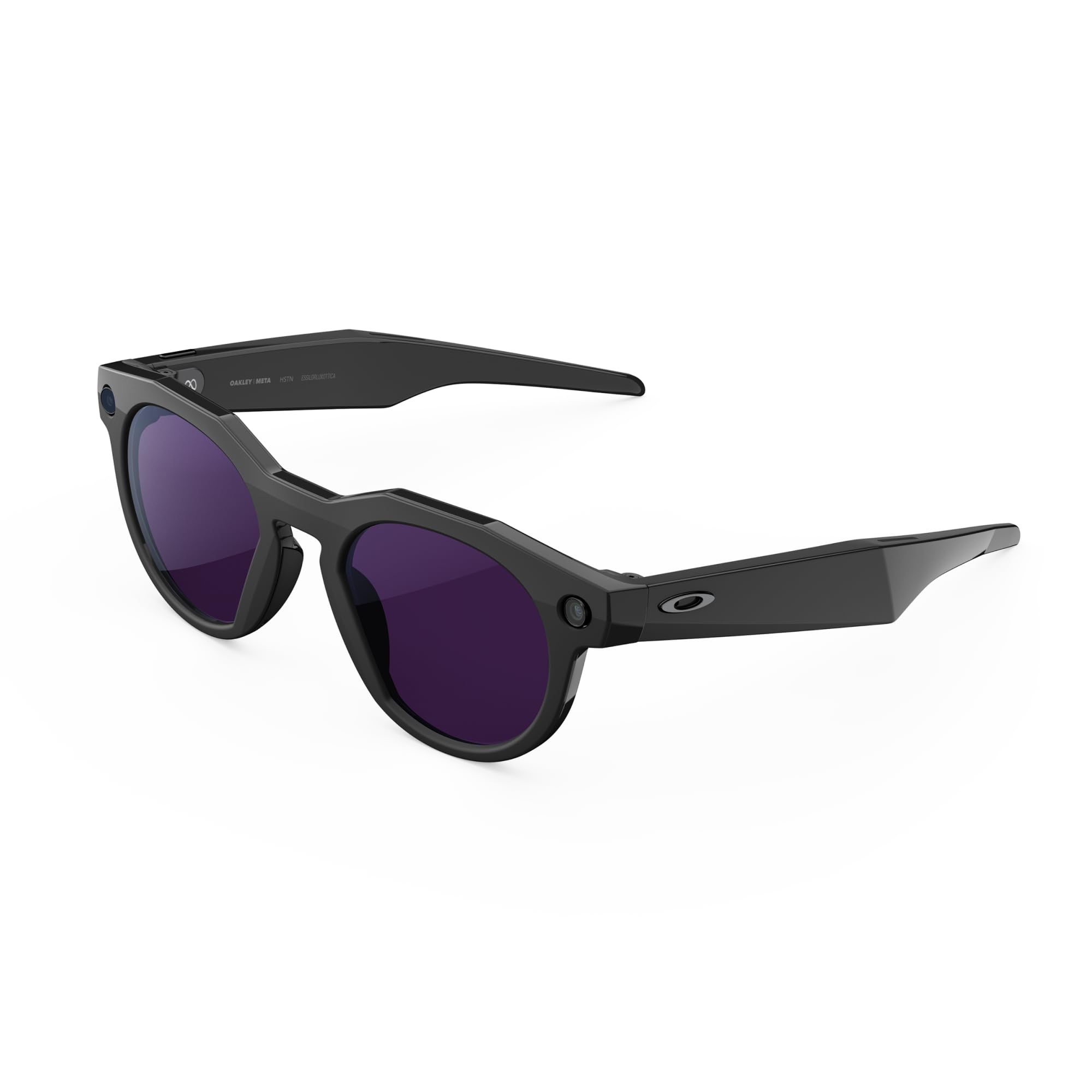
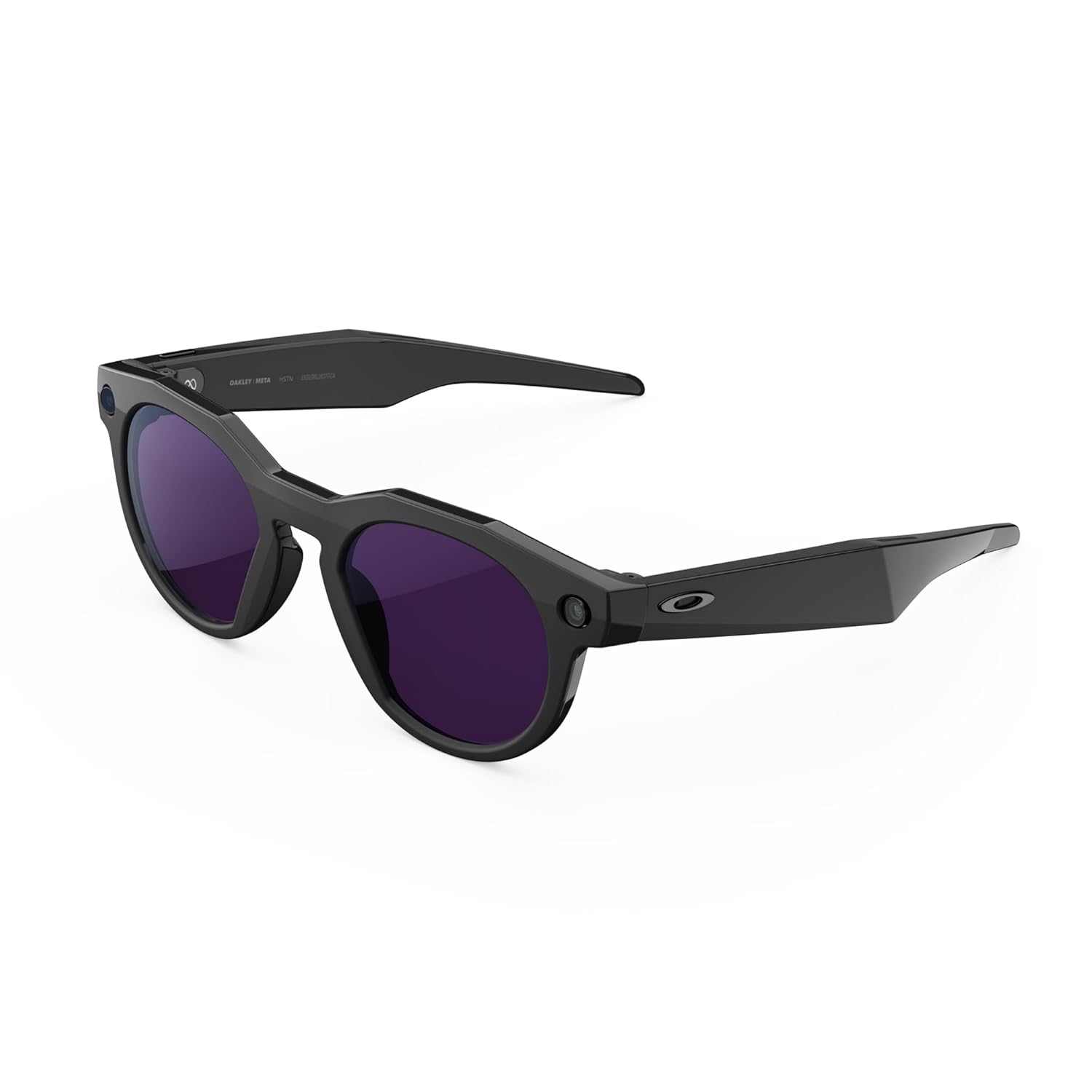
You get a sporty Oakley frame with built‑in smarts: a hands‑free 12 MP camera that records 3K Ultra HD, open‑ear audio for music and calls, and Meta AI for quick, voice‑driven answers. Battery life is solid for typical use (up to 8 hours) and the charging case adds extra juice when you’re out all day.
In everyday life they’re great for walks, commuting, or listening to podcasts without blocking ambient sound; for special moments they let you capture POV video, tag activity metrics from Garmin/Strava, or get live translations while traveling. Expect mostly smooth performance, but be ready for occasional setup quirks on some phones and don’t rely on them as blackout sunglasses—the Transitions tint is handy but not as dark as dedicated shades. If you want something that looks like performance sunnies but doubles as a capable action camera and wearable assistant, these are a very practical pick.
What People Say
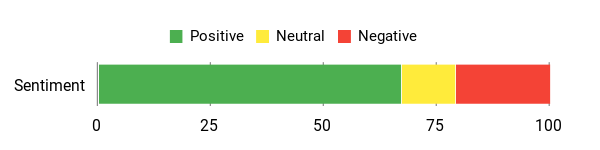
You’ll hear the camera and audio called out the most—people love the POV footage and clear sound. Common caveats: some users report pairing/setup hiccups (especially on certain iOS builds), the Transitions tint can be milder than expected in bright sun, and heavy video recording eats battery faster.
Overall Sentiment: Positive
🗣️ BEAU
I absolutely love the look — get a lot of compliments. Dropped them face down on pavement with no scratch, quick charge gets them back fast, and I added reading strips so I can wear them all day.
🗣️ Jesse Xu
Excellent piece of technology and stylish. Camera quality is amazing and the battery handled about twelve 3‑minute video recordings before needing the case — great for capturing events.
When To Use
|
Situation |
How It Helps |
|---|---|
|
Commuting |
You can take calls and listen to directions without earphones, staying aware of traffic and surroundings. |
|
Outdoor workouts |
Record runs or rides hands‑free and add activity metrics for easy sharing afterward. |
|
Travel |
Use live translation and quick POV photos/videos to capture moments without pulling out your phone. |
|
Events & family time |
Grab natural moments from your perspective—people react less to glasses than to a camera held up. |
Social Perks
Because they look like sporty Oakleys, you get tech perks without drawing gadget attention; open‑ear audio keeps you social while you listen.
Versatility
You can choose lens types and use them for sport, casual wear, or content capture—Transitions make them adaptable, though for very bright sun you might prefer a stronger polarized option.
Looks
They keep a performance sunglasses look, so the tech feels integrated rather than flashy—people notice the style before the gadget.
Comfort
Frames are lightweight and generally comfortable for all‑day wear; a few users mention a snug fit at first, but small adjustments or nose pads usually fix that.
Key Benefits
-
Hands‑free 12 MP camera with 3K Ultra HD video
-
Open‑ear audio for music, calls and voice assistant
-
Meta AI for live answers, translations and on‑the‑go help
-
Up to 8 hours battery + charging case for extended use
-
Transitions lenses for indoor/outdoor adaptability
-
Activity sharing with Garmin and Strava
-
Privacy controls for voice and recording features
Current Price: $479.00
Rating: 3.8 (total: 213+)
XREAL One Pro

If you want a lightweight pair of AR glasses that actually feels useful day to day, these are worth a look. You can plug them into a phone, Steam Deck, Mac or PC and get a huge virtual screen for work, streaming or gaming — no bulky monitor required.
The built‑in X1 chip gives native 3DoF stabilization so the image stays steady as you move, and the prism optics cut down reflections so you can still see the real world around you. Use them for long reading or spreadsheet sessions, bingeing shows on the couch, or turning a small device into a portable workstation when you travel.
They aren’t perfect — some users mention warmth during heavy use, smaller viewing lenses at max sizes and a premium price — but if you want a practical, travel‑friendly way to get a big screen anywhere, these deliver a very usable experience.
What People Say
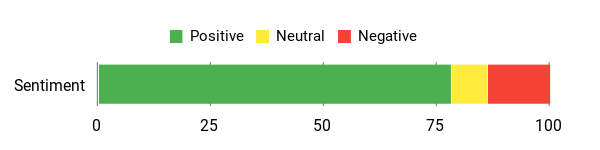
Most people praise the built‑in stabilization and the prism optics — those two features repeatedly come up as reasons the One Pro feels like a real, usable step up. Common caveats are heat under heavy use, relatively small viewing lenses at extreme screen sizes, noisy/stiff buttons for adjustments, and occasional reports of missing parts from some orders.
Overall users who needed a portable big screen or hands‑free productivity setup tend to recommend them.
Overall Sentiment: Positive
🗣️ Christopher M
What stands out is the built‑in 3DoF from the X1 chip — image stabilization and head tracking are rock solid, so the virtual screen doesn’t bounce or cause eye strain. The prism optics also eliminate reflections, so you can actually use them in bright spots without adding a goofy light blocker.
🗣️ Michael Steinheiser
It just worked right away after a quick firmware update. Plugged into my PC and my iPad mini, and the screen was usable immediately — great for working on the go without lugging a monitor.
When To Use
|
Situation |
How It Helps |
|---|---|
|
Working on the go |
Turn a phone or mini PC into a full‑sized workspace so you can edit documents, run a VM, or handle spreadsheets without a bulky monitor. |
|
Watching movies or streaming |
Create a huge virtual screen for immersive viewing in a small space — great for long flights or hotel rooms. |
|
Gaming with handheld devices |
Pair with a Steam Deck or ROG Ally for a big‑screen feel without needing a TV; low latency and 120 Hz help keep motion smooth. |
|
Bright environments or outside |
Prism optics and up to 700 nits mean you can still see the image in bright spots without adding a bulky light blocker. |
Social Perks
They look closer to normal sunglasses than older AR rigs, so you get tech perks without attracting too much attention; built‑in audio keeps you aware of conversations around you.
Versatility
You can use them for productivity, media, and gaming across phones, handheld consoles and laptops. They work best with devices that have USB‑C video out; pairing with additional accessories expands compatibility further.
Looks
Prism lenses and a slimmer profile make these less conspicuous than past display glasses, so they blend in better with casual wear.
Comfort
At 87 g they’re light and come with adjustable arms and multiple nose pads for a better fit. Some people note warmth after extended outdoor use and a slightly odd feel until you dial in the fit.
Key Benefits
-
Native 3DoF stabilization via the X1 chip for steady visuals
-
Prism optics that reduce reflections and improve outdoor use
-
Large 57° FOV for an immersive 171″ virtual screen
-
120 Hz Micro‑OLED display for smooth motion
-
Sound tuned by Bose for decent built‑in audio
-
Lightweight design (87 g) and adjustable fit options
-
Works with many USB‑C devices — phones, Steam Deck, Mac, PC
Current Price: $599.00
Rating: 4.1 (total: 107+)
RayNeo Air 3s Pro
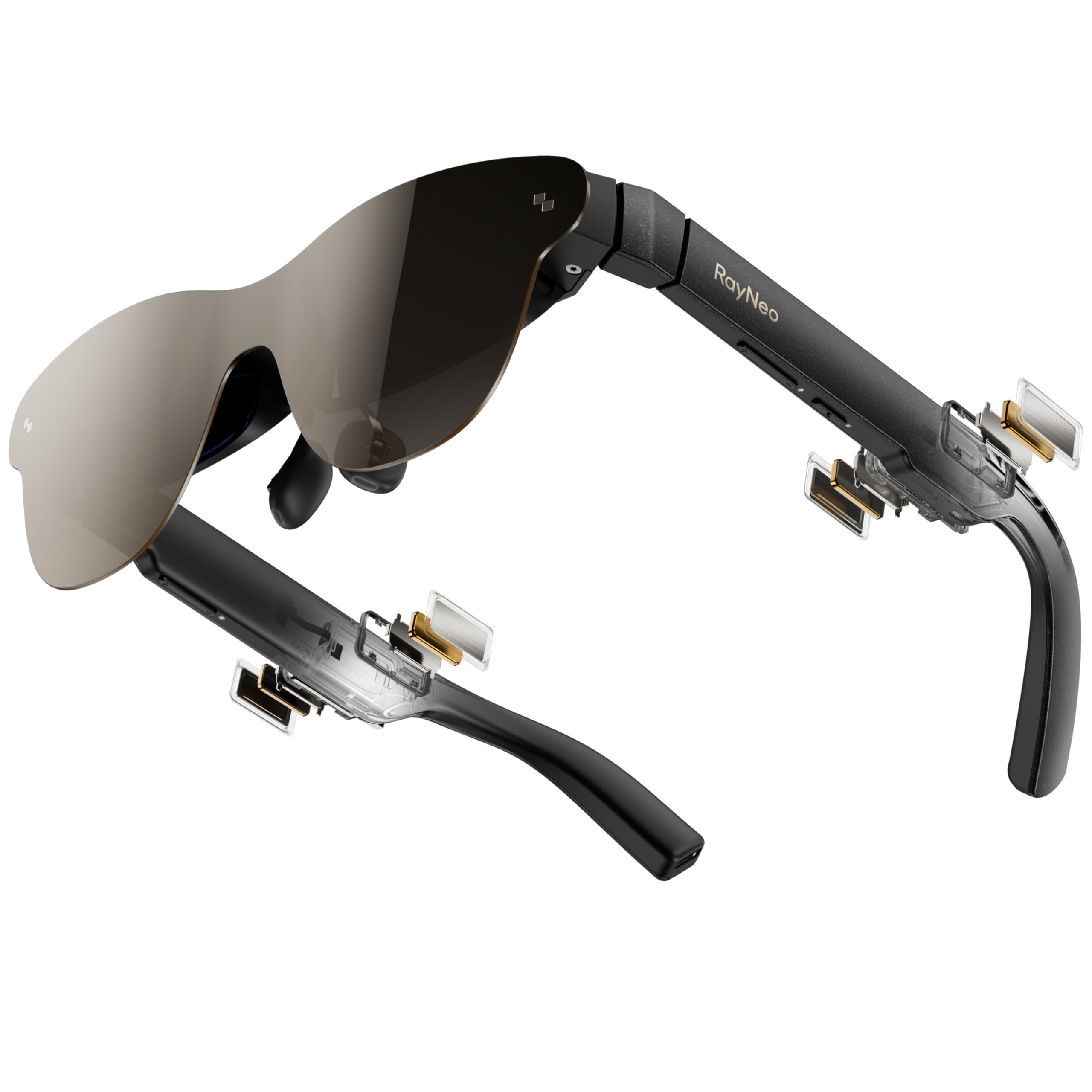
If you want a glasses-style way to get a huge personal screen, these make that easy. You can plug them into a phone, Steam Deck, Switch, Mac or PC and get a vivid 201″ virtual display for movies, handheld gaming or working on the couch. The displays are surprisingly sharp and colorful, the built-in speakers are useful (Whisper mode keeps sound private), and they’re light enough to wear for a while.
They don’t offer anchored AR or advanced spatial mapping, but if your priority is a bright, comfortable personal cinema or portable big-screen for gaming, these are a great value.
What People Say
You’ll see the most praise around display quality, color accuracy and comfort — people often note these are the clearest XR glasses for reading and long viewing. Common downsides mentioned are the lack of screen anchoring/transparency options and occasional minor connectivity hiccups.
Overall Sentiment: Positive

🗣️ Bill
These glasses have by far the best displays I’ve tried — clarity and color are amazing and I can actually read small text without eye strain. They’re also very comfortable; the flexible temples mean they don’t push on my head like other XR glasses.
🗣️ Johnny
Great for mobile gaming — colors pop and the picture is sharp. Tip: push the nose pieces in to sit closer for better sharpness, and dial brightness down for some content. I tried them with a Rog Ally, laptop and phone and they worked well across devices.
When To Use
|
Situation |
How It Helps |
|---|---|
|
Watching movies while lying down |
Creates a huge personal screen so you can relax in bed or on the couch without relying on a TV or projector. |
|
Mobile gaming (Steam Deck, Rog Ally) |
Gives handheld games an IMAX‑style feel; vibrant colors and 120 Hz help keep motion smooth and immersive. |
|
Travel and hotel rooms |
Turns a small device into a private big screen so you can watch shows or work in cramped spaces. |
|
Long reading or messaging sessions |
High clarity and eye‑comfort certifications let you read small text for longer with less strain. |
Social Perks
The frame looks like normal glasses rather than a bulky headset, so you don’t draw too much attention; built‑in audio keeps you aware of nearby conversations while still enjoying private sound.
Versatility
Works with many USB‑C devices — phones, consoles, laptops — so you can switch between streaming, gaming and light productivity. Best results come from devices that support video out.
Looks
A slim, sunglass-like profile keeps them more subtle than older AR rigs, so they blend well with casual wear while still signaling a modern tech look.
Comfort
They feel light on the face and the flexible temples reduce pressure; nosepiece adjustments help get the display in focus. Some users note you should tweak fit for the sharpest image.
Key Benefits
-
Extremely bright 1,200 nits to‑eye display for clear images even in brighter rooms
-
HueView 2.0 Micro‑OLED panels with rich colors and sharp text readability
-
Massive 201″ perceived virtual screen for movies and gaming
-
TÜV SÜD low blue light and flicker‑free certifications for more comfortable bingeing
-
Built‑in quad speakers with Whisper mode for private audio
-
Included prescription lens sample makes vision correction straightforward
Current Price: $249.00
Rating: 4.3 (total: 269+)
VITURE Luma Pro XR
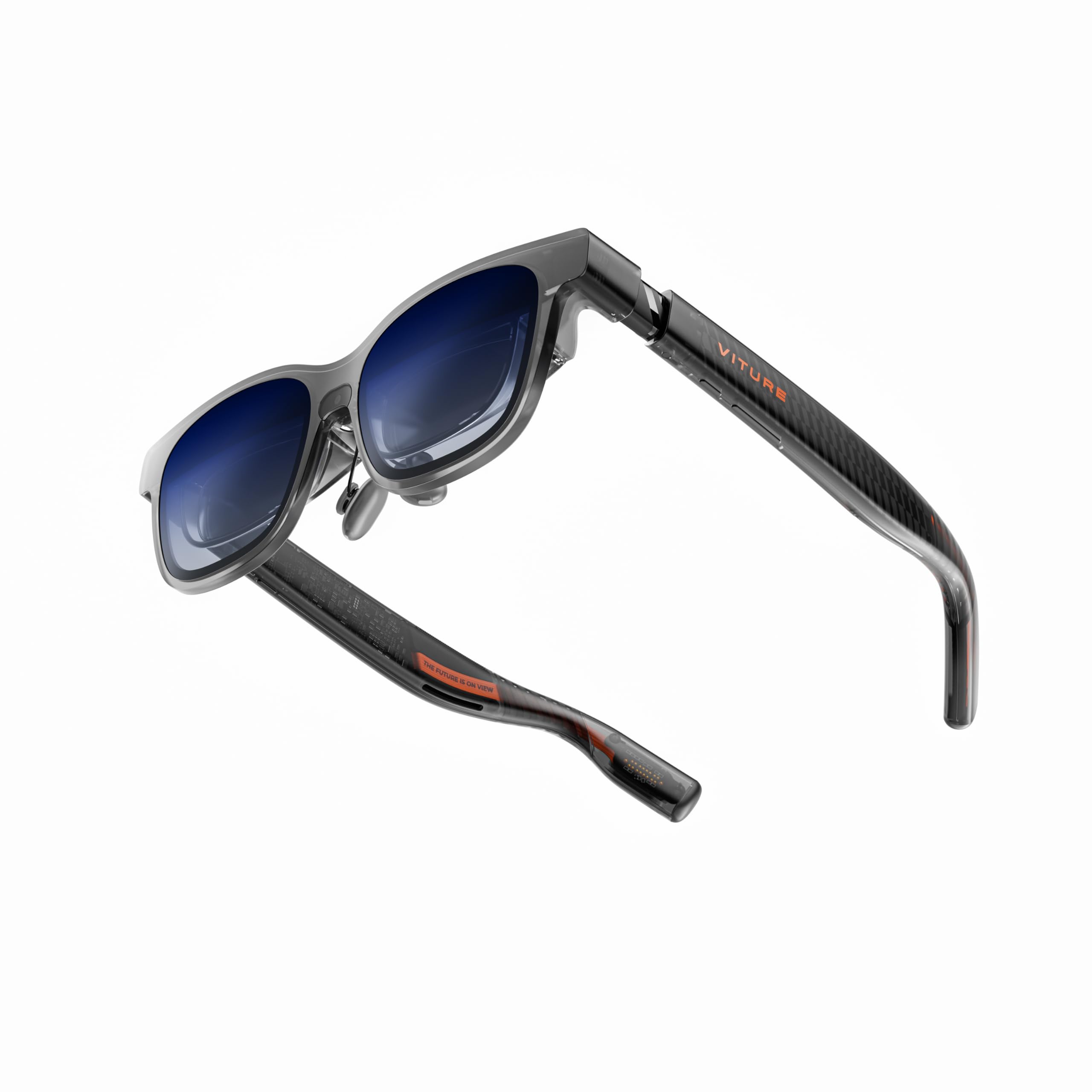
These glasses turn your phone, laptop or console into a private, massive screen you can wear. You get a 152″ perceived display in 1200p that’s bright and color-accurate, a 52° field of view that feels immersive, and handy features like built-in myopia adjustment and an electrochromic film to darken lenses on demand.
They’re light and travel-friendly, and if you pair accessories like the Mobile Dock or neckband you can stretch battery life or add extra head-tracking options. Use them for long flights, late-night streaming, handheld gaming, or as a multi‑screen portable workspace — just tweak fit and nose pads for the sharpest view.
If you want a wearable personal theater or a portable big screen for gaming and work, these are an easy pick.
What People Say
You’ll hear the most praise for the display — people point out the sharp text, rich colors, and strong brightness. Users also like the diopter adjustment and the lightweight feel. Some callouts to watch for: fit matters for edge sharpness and a few mention extra accessories are needed for the smoothest head-tracking or longest battery life.
Overall Sentiment: Positive

🗣️ Jennifer Lopez
The 152-inch 1200p virtual screen is stunningly clear — razor-sharp text and smooth 120 Hz motion. Built-in myopia adjustment and the electrochromic film make immersion easy, and with the Mobile Dock you can get insanely long streaming sessions.
🗣️ Nyshon
Image quality is extremely sharp and color accurate, and the physical diopter adjustment let me dial in a crystal-clear picture. Also worth noting: Viture’s customer service helped resolve an issue quickly.
When To Use
|
Situation |
How It Helps |
|---|---|
|
Long flights and travel |
Turns your phone or a docked device into a private cinema so you can watch shows or play games comfortably without needing a hotel TV. |
|
Handheld gaming (Switch, Steam Deck) |
Gives games a much bigger, more cinematic feel with smooth 120 Hz motion and vivid colors — perfect when you want immersion away from a TV. |
|
Productivity on the go |
Creates multiple virtual screens so you can edit, code, or manage documents without lugging extra monitors. |
|
Late-night watching |
Electrochromic darkening and private audio let you focus on content without disturbing others. |
Social Perks
The frame looks much closer to regular glasses than a bulky headset, so you don’t stand out as much; built-in audio means you can stay aware of nearby people while still keeping audio private.
Versatility
Works with phones, laptops, consoles and PCs that support video out (USB‑C DP Alt Mode). Add the Mobile Dock or neckband for broader console/HDMI support and longer untethered sessions.
Looks
A translucent, modern design with programmable lighting effects gives a stylish, futuristic look that still reads as wearable tech rather than a bulky rig.
Comfort
They’re lightweight and come in two sizes with adjustable temples and swappable nose pads — you should be able to get a comfortable fit for long sessions, though small adjustments help with screen focus.
Key Benefits
-
152″ perceived 1200p ultra-sharp display for a true personal big-screen experience
-
120 Hz refresh and 1,000 nits peak brightness for smooth, vivid video and gaming
-
Built-in myopia adjustment up to −4.0 D so you can skip prescription inserts in many cases
-
Electrochromic film for instant lens darkening and improved focus
-
HARMAN‑tuned audio for richer, spatial sound without large external speakers
-
Lightweight, travel-friendly design with two size options and swappable nose pads
-
Wide device compatibility via USB‑C DP Alt Mode and optional Mobile Dock for HDMI devices
-
Multi-screen productivity support (up to three virtual windows) for working on the go
Current Price: $424.00
Rating: 4.1 (total: 263+)
FAQ
How Do I Choose The Right Smart Glasses For Daily Use?
You should start by matching the glasses to your primary use case: audio-first (calls, podcasts), camera-first (hands-free photos and video), or display/AR-first (gaming, large virtual screens). If you want a stylish everyday look with good audio and hands-free capture, the Ray‑Ban Meta Wayfarer at $329.00 is a strong all-rounder; if you need sports performance and Transitions® lenses, the Oakley Meta HSTN at $479.00 targets athletes; if you want a high-end AR/display experience for productivity or gaming, the XREAL One Pro at $599.00, VITURE Luma Pro at $424.00, and RayNeo Air 3s Pro at $249.00 each focus on immersive screens.
Also check battery life, because heavy camera or AR use shortens runtime; check compatibility with your phone or console (some AR displays require USB‑C DP Alt Mode). If you wear prescription lenses, verify built‑in diopters, prescription inserts, or whether your optician can fit the frame.
Finally, read reviews for fit and comfort, confirm return and warranty policies, and try them on in person if possible so you’re comfortable wearing them all day.
Are Smart Glasses Safe, Private, And Legal To Use?
You should treat smart glasses like any recording device: know local laws and respect other people’s privacy. Many models show a visible indicator when recording; for example some reviews note the Oakley Meta HSTN’s LED is always on while filming, which is there for privacy compliance.
Check the product details and local regulations before you record in public or private settings, and disable or limit camera features when appropriate. On the data side, you should review the app permissions, turn off cloud backups if you prefer local storage, and keep firmware updated to patch security issues.
If Bluetooth or Wi‑Fi pairing fails, don’t assume your device is compromised—check app permissions and OS compatibility (some reviewers needed specific iOS settings changes). In short, follow local laws, inform others when recording, and use app security settings and updates to keep your data safe.
How Do I Maximize Battery Life, Fit, And Daily Performance?
You’ll get the best real‑world results by tuning features to your day. Turn off always‑listening assistants or voice features if you don’t need them—several owners found battery life improved dramatically when voice AI was disabled.
Lower display brightness or reduce video resolution when streaming AR content, and carry the charging case or a small power bank for long outings. For fit, try different nose pads or temple cushions; many users solved slipping or pressure by swapping pads or adding soft cushions.
If you plan to use the glasses for reading or long AR sessions, measure your IPD and check diopter options—XREAL and VITURE offer fit and adjustment features that reduce eye strain. Keep firmware and the companion app updated, follow manufacturer pairing tips (some iOS users reported toggling message preview or contact sync settings to fix notification issues), and test accessories like polarized or transition lenses if you spend time outdoors.
Small changes—disabling unused sensors, updating firmware, and adjusting nose pads—often give the biggest improvements in daily life.
Buyers Top Picks
When choosing between the Ray-Ban Meta Wayfarer, Oakley Meta HSTN, and XREAL One Pro, you typically weigh style and brand, display and AR performance, comfort and fit, battery life, audio/privacy features, and durability for active use. So if you want a fashionable everyday pair you’ll lean toward the Ray-Ban, if you need rugged, sports-ready wear you’ll pick the Oakley, and if immersive visuals and advanced AR are your priority you’ll go with the XREAL One Pro.
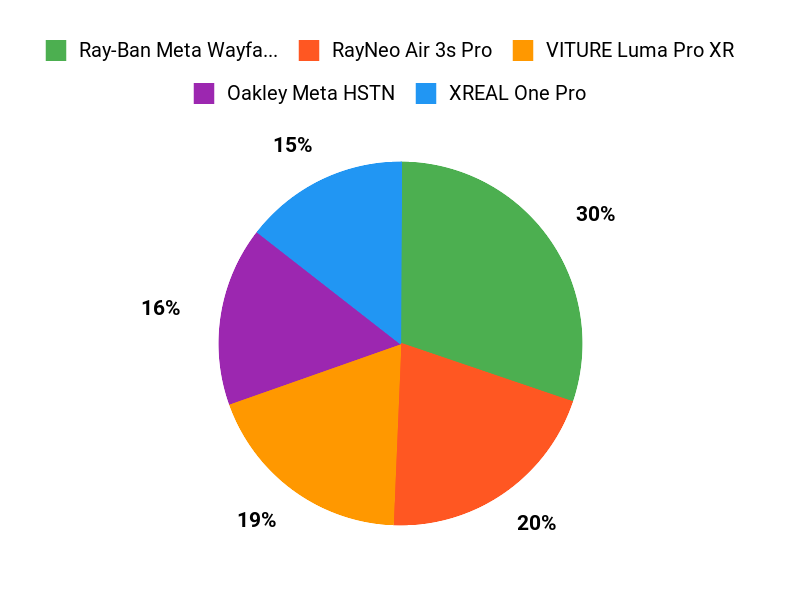
Wrapping Up
Choosing the right smart glasses depends on how you plan to use them. If you want a stylish, well-rounded option for everyday use, the Ray-Ban Meta delivers balanced features and good value. If you need durability and sport-ready design, consider the Oakley Meta. For serious on-the-go productivity pick XREAL One; for large-screen gaming and bright displays the RayNeo Air Pro is a strong budget choice; and if display fidelity is paramount, the VITURE Luma offers one of the sharpest viewing experiences.
Now that you know what each pair does best, you can weigh comfort, features, and budget to pick the pair that will actually change how you move through your day.
|
Product |
Image |
Rating |
Price |
Battery Life |
Display Quality |
Weight |
Special Highlights |
|---|---|---|---|---|---|---|---|
|
|
4.1/5 (N+ reviews) |
$329.00 |
4 hours of video/photo shooting; fast charging with case |
Crisp photos and videos; built-in immersive audio |
11.29 ounces (320 grams) |
|
|
|
|
3.8/5 (213 reviews) |
$479.00 |
Up to 8 hours |
3K HD Resolution; adaptive Transitions® lenses |
1.87 ounces (53 grams) |
|
|
|
|
4.1/5 (107 reviews) |
$599.00 |
N/A; connected via USB |
120Hz FHD Display with X-Prism Optics; no reflections |
3.07 ounces (87 grams) |
|
|
|
|
4.3/5 (269 reviews) |
$249.00 |
N/A; powered by connected device |
201-inch equivalent virtual display; excellent color adjustment |
2.68 ounces (76 grams) |
|
|
|
|
4.1/5 (263 reviews) |
$424.00 |
N/A; operates via connected device |
152-inch 1200p ultra sharp display; 120Hz refresh rate |
2.79 ounces (79 grams) |
|